
What is the alarm app that makes you take a picture?
The alarm from your feed that will not stop until you photograph something across the room: what it is called, which object to pick, and how people cheat it.

The short answer
The two apps people mean are Risly and Alarmy: the alarm keeps ringing until your phone camera confirms it is looking at an object you registered in advance, somewhere else in your home. That is not a wellness feature, it is a scheduling one: snoozers took 26.93 minutes to get from the first alarm to standing up, against 8.48 minutes for everyone else (Mattingly et al., SLEEP, 2022), and a target in the kitchen deletes most of that gap by making the two states incompatible.
Why TikTok found this before Google did
Search "alarm app where you take a picture" and you get a mess of listicles. Search the same thing on TikTok and you get thousands of people filming themselves stumbling into a kitchen at 6am holding a screaming phone. That is the entire reason you are here and not on a review site: the camera mission is funny to watch, so it spread through video and barely at all through search, which is why so many people can describe exactly what the app does and cannot name it.
So, the names. It is Risly, or it is Alarmy. Both refuse to switch off until the camera confirms a specific object (the kettle, the fridge, the front door), and both keep ringing for the entire walk. We compare them properly in Alarmy alternatives. And we should say plainly that we make one of them, which is exactly why the rest of this page is about the ways it fails.
Which object should you register?
The choice of object does more work than the app does, and it is the difference between a mission that works on a heavy sleeper and one that does not. A good target has three properties: it is out of the bedroom, it is on the path you would take anyway, and it is visually distinctive. A white wall is a bad target. A coffee machine is a great one, because scanning it leaves you standing in front of the coffee machine, which is a place almost nobody returns to bed from.
| Target | Distance from bed | Why it works, or does not (our verdict from use, not a tested result) |
|---|---|---|
| Coffee machine | Kitchen | Best in class. You are up, you are out of the room, and the next action is obvious. |
| Front door | Hallway | Good if your shoes are there. Great for people who run in the morning. |
| Fridge | Kitchen | Good. Fails only if you are the kind of person who eats in bed. |
| Boiler or fuse box | Utility area | Strong. It is bolted to a wall, so it can never be moved by accident. |
| Bedside lamp | Arm’s reach | Useless. Do not do this. You will scan it with one eye open and be asleep in ninety seconds. |
| A plain wall | Anywhere | Fails technically. Give the camera something with edges and contrast. |
Can you cheat a camera alarm?
Yes, and it is worth knowing how, because every cheat is a decision you make while genuinely awake the night before. This is the page where we spell them out; the other mission pages send people here rather than repeat it.
- Keep a photo of the target by the bed. This beats a photo-comparison mission, which is the classic Alarmy complaint in the app-store reviews. It does not beat a live scan, which reads a continuous feed rather than a single still. But a screen held up to a camera is exactly what a determined half-asleep person tries first.
- Register something you can reach from under the duvet. No technology is defeated here at all. If the target is within arm’s reach you have simply built a snooze button with extra steps, and you built it deliberately.
- Register something portable. A mug is a target you can bring to bed. An appliance, a mirror, a framed picture or a boiler is not. The rule is: if you could carry it, someone will, and that someone is you at 6:41am.
- Let the room be pitch dark. Not a cheat, a bug you introduce. A camera needs light, so on black winter mornings register something in a room where you will flip a switch, and flipping that switch does more for your wakefulness than the scan does.
How does the camera mission actually work?
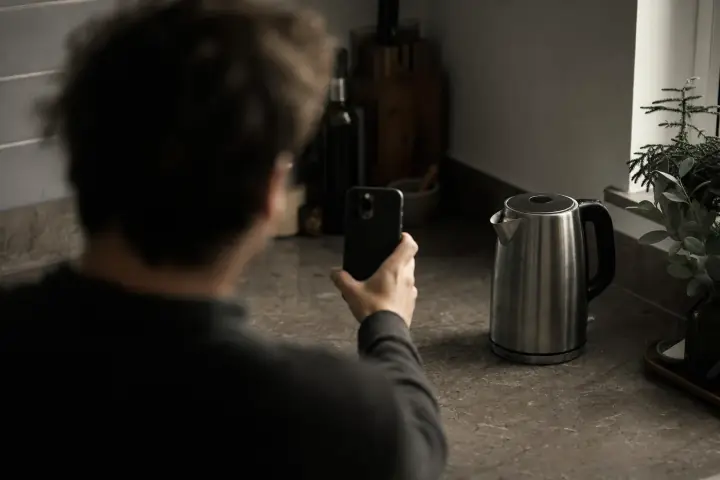
Setup takes about twenty seconds: pick the spot, point the camera at it once, and the app keeps a compact fingerprint of what it sees. The next morning the screen offers the camera view and nothing else: no snooze, no stop, no swipe. The two apps differ in one detail: Alarmy compares a photo you take against the stored one, while Risly runs a continuous scan and confirms the moment the object enters frame. Both work. The continuous version is the harder of the two to argue with at 6:41am.
The failure people brace for and do not get is the app staying silent. Risly is built on AlarmKit, the iOS 26 framework for real system alarms, so it fires through silent mode and survives a force-quit. Apple states on its own alarm support page that Do Not Disturb, the Ring/Silent switch and Silent mode do not affect the alarm sound. Apple does not name Focus there; that a Focus behaves the same way is our reading, from our own testing. The mechanics are on the anti-snooze page.
Where do the photos go?
Straight answer, including the part that is inconvenient for us. For the object scan, the recognition runs on-device: the camera frames are matched against your registered object on the phone itself, with no round trip to a server, and nothing is kept once the mission completes. The kiss mission is the one exception: that single photo is checked off the phone, and nothing of it is kept either. But Risly also has an opt-in feature called Morning Memories, off by default, and if you switch it on the app deliberately keeps the shot from each morning and syncs it to your account so the photos survive a new phone. So "nothing ever leaves your phone" would be a tidy sentence and a false one: nothing leaves it unless you ask for that, and then it does.
Read the privacy policy of any camera-based alarm before you install it, ours included. You are handing an app the camera in your bedroom, and the correct posture is to be difficult about it, including with the vendor writing the article.
Does it actually work, or is it just a good video?
It works for a specific reason, and it is worth being precise rather than making health claims. Sleep inertia, the groggy, slow-thinking state right after waking, degrades judgement for roughly 15 to 60 minutes (Hilditch & McHill, Nature and Science of Sleep, 2019) and is deepest when an alarm pulls you out of deep sleep. That is the state your alarm finds you in. A camera mission does not ask that person to make a good decision. It asks them to walk twelve feet, which a barely-conscious human can do, and which happens to decide almost everything about whether they stay up.
There is a heavier version of the same state, and it is not what this app is for. Lynn Trotti’s 2017 review in Sleep Medicine Reviews covers sleep drunkenness: prolonged confusion on waking, reported by roughly one adult in seven in the population data she cites. If your mornings look like that, an alarm app is the wrong tool and a doctor is the right one.
One illustrative case, invented for this article rather than taken from anywhere: Kayleigh, 22, in Bristol, saw the mission in a video, installed it, and registered the mirror on her wardrobe door because it was the easiest thing to point a camera at. It failed for eleven days straight. Not technically: it worked perfectly, she just scanned it kneeling on the mattress. Moving the target to the kettle fixed a problem the app never had.
What it will not do is make you enjoy the morning. It is an aggressive alarm and it is meant to be. If what you want is to drift awake to a slowly brightening lamp, buy a sunrise lamp. This is the wrong product and we would rather say so than take your money.
Camera alarm apps: common questions
What is the app where you have to take a picture to turn off the alarm?
Risly and Alarmy are the two main ones. Risly scans an object you registered (a coffee machine, a mirror) through a continuous camera feed and has no snooze button at all. Alarmy compares a photo you take against a stored one and has a much larger mission library. Risly requires iOS 26 or later.
Does the alarm keep ringing while I walk to the object?
Yes. That is the point. In Risly the alarm does not stop until the object is recognised, so the noise follows you out of the bedroom and the walk is not optional.
Can I just take a picture of the picture?
It is the first thing people try, and it works against a photo-comparison mission: hold up a saved screenshot and the app is satisfied. It does not work against a continuous scan, which is one of the reasons Risly is built that way.
Are the photos saved or uploaded?
For the object scan and the push-ups, the recognition runs on-device and nothing is kept once the mission completes. The drawing and the kiss are checked off the phone, and nothing from those checks is kept either. The other exception is Morning Memories, an opt-in setting that is off by default: switch it on and Risly deliberately keeps that morning’s shot and syncs it to your account, which is the point of the feature.
Is there a free alarm app that makes you take a picture?
Risly has no permanent free tier: a three-day trial, then a subscription. Alarmy is free to download, though which missions sit behind its paid tier changes with its pricing, so check the current listing rather than any article. We line up what each one costs in Alarmy alternatives.
Is there an Android version?
Not for Risly; it is iOS 26 and later only, because it is built on Apple’s AlarmKit. Alarmy runs on both platforms.
Research cited
- Mattingly et al. (2022). Snoozing: an examination of a common method of waking. SLEEP
- Hilditch & McHill (2019). Sleep inertia: current insights. Nature and Science of Sleep
- Trotti (2017). Waking up is the hardest thing I do all day: sleep inertia and sleep drunkenness. Sleep Medicine Reviews
- Apple Support: How to set and change alarms on your iPhone (118444)
Keep reading




Ready when you are
Choose your next wake-up mission.