
The best alarm apps for heavy sleepers
An honest comparison of the alarm apps that actually wake heavy sleepers: Risly, Alarmy, Wayk, SuperAlarm, Sleep Cycle, the Clock app and Alarm Clock Xtreme.

The short answer
For a heavy sleeper on iPhone the pick is Risly (iOS 26+, a subscription (see the App Store for available plans, local prices and trial eligibility) after a 3-day free trial), which has no snooze button anywhere and an alarm that only stops when you finish a mission, or Alarmy (iOS and Android, free tier plus subscription) if you want the widest mission library and sleep tracking in one app. If your iPhone cannot run iOS 26, or you are on Android, Wayk is the closest thing to Risly you can install; on an older iPhone specifically, SuperAlarm covers a lot of the same ground from iOS 17 and costs nothing to try. Volume is not the variable that decides it: in a decade of Fire Technology research, many sleeping people did not wake to the standard high-pitched alarm tone even at 95 dBA at the pillow. What separates these apps is how hard each one is to switch off while you are barely conscious.
We make Risly. That is a conflict of interest, so this list says plainly where we lose, and we lose in several places on this page.
What is the best alarm app for heavy sleepers?
In one sentence: Risly if you are late and want a mission you cannot dodge on a real system alarm, Alarmy if you want every feature in one app, Wayk if you want the mission format on a phone Risly will not run on, SuperAlarm if you want a mission alarm that costs nothing and installs on an iPhone stuck below iOS 26, Sleep Cycle if you already get up on time and just feel wrecked, the built-in Clock app with snooze switched off if you have never tried the free fix first, and Alarm Clock Xtreme if you are on Android and want free.
| App | Platform | What stops the alarm | Snooze | Price | Best for |
|---|---|---|---|---|---|
| Risly | iOS 26+ | Nine missions (camera: object scan, QR, barcode, push-ups, kiss · screen: math, memory, drawing · motion: shake) | None, at all | 3-day free trial, then a subscription (see the App Store for available plans, local prices and trial eligibility) | Being on time |
| Alarmy | iOS + Android | Photo, barcode, math, memory, squats | Optional | Free with ads, or subscription | The widest feature set |
| Wayk | iOS 17+ and Android | Push-ups, sky photo, make your bed, find an object | Not documented | Free download, subscription to set an alarm | Missions on a phone Risly cannot run on |
| SuperAlarm | iOS 17+ | Object scan, barcode, math, memory, Face ID, walking | Not documented | Free to download | A free mission alarm below iOS 26 |
| Sleep Cycle | iOS + Android | A button | Yes | Free tier, or subscription | Waking up gently, sleep tracking |
| iPhone Clock | iOS | A button (snooze can be disabled) | Optional | Free | People who never tried turning snooze off |
| Alarm Clock Xtreme | Android (the iOS namesakes are other apps) | Math, shake | Optional | Free with ads | Android users who want free |
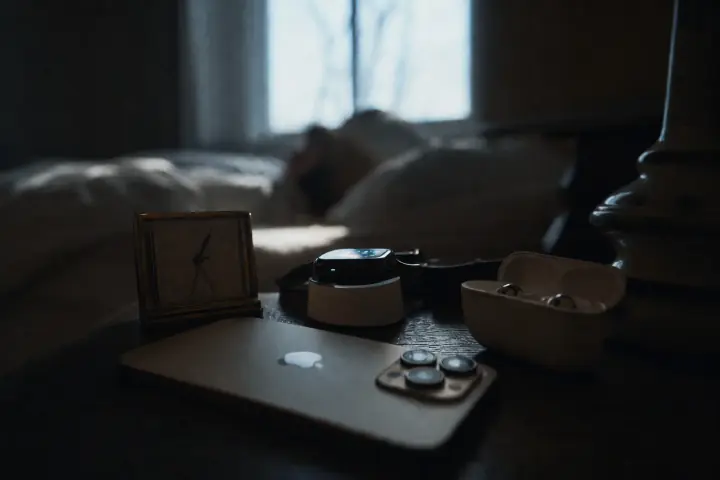
Why doesn’t a louder alarm work for heavy sleepers?
Because you are not failing to hear it. Victoria University spent a decade testing alarm signals on sleeping people and published the summary in Fire Technology: many participants did not wake to the standard high-pitched alarm tone even at 95 dBA at the pillow, roughly a passing motorbike, held against your ear. What woke almost everyone in the same research was not a louder sound but a different one, a low 520 Hz square wave. Level matters less than the shape of the signal, which is why the extra decibels an app promises you buy so little.
What does move is the difficulty of switching it off. In a 2025 analysis of 3,017,276 sleep sessions from 21,222 people (run by Mass General Brigham researchers on Sleep Cycle’s own app data, and published in Scientific Reports), 55.6% of sessions ended in a snooze. When the snooze was used it took 10.8 minutes on average; the heaviest snoozers pressed it 4 times and lost 20.2 minutes every morning. An alarm that is easy to dismiss gets dismissed: reliably, at scale, by people who fully intended to get up.
1. Risly: the alarm with no snooze button

Risly
For heavy sleepers who are chronically late: a dismissal task you cannot fake, running on a real system alarm.
- No snooze button anywhere: not in settings, not behind a long-press
- Built on AlarmKit: rings through silent mode, Focus, and a force-quit
- Nine missions to choose from (object scan, QR, barcode, push-ups, math, memory, drawing, kiss, shake), and the object, code and push-up recognition runs on-device
- No ads and no upsells inside the app
- Requires iOS 26 or later, and there is no Android version
- No sleep tracking and no sleep sounds
- No permanent free tier
Risly is a mission alarm for iPhone, made by Belle Étoile Labs: us. The alarm rings and there is no button to stop it. There is a mission, and you pick which one from nine. Five of them use the camera: scan the object the app names, from a pool of household things you registered yourself; scan a QR sheet you printed and taped up at the far end of the flat; scan the barcode off something you already own, a cereal box or a shampoo bottle; do push-ups the front camera counts; or kiss the person next to you and photograph the two of you. Three use the screen: chained math problems and a pattern that flashes on a grid and has to be tapped back from memory, both with the difficulty set by you, plus a shape you draw with your finger. The ninth uses nothing but the phone: shake it thirty times. The object, code and push-up recognition runs on the phone itself. Finish the mission and the alarm stops. Do not finish it and it keeps ringing.
The part that matters for heavy sleepers specifically: Risly is built on AlarmKit, the iOS 26 framework that lets a third-party app schedule a real system alarm. It rings through silent mode, through Focus, through Do Not Disturb, and it rings if you force-quit the app the night before. That is why its support page does not ask you to reconfigure your phone: there is nothing to reconfigure. Longer version on the anti-snooze page.
Where it loses: iOS 26 or later only, so no Android and no older iPhones. No sleep tracking. No sleep sounds. It is unpleasant on purpose, and if you want to be woken kindly you will hate it.
2. Alarmy: the deepest feature set on the market

Alarmy
For Android owners and anyone who wants every mission type, sleep tracking and sleep sounds in one app.
- The widest mission library there is: typing, photo and squats on top of everything else in this comparison
- Sleep tracking, sleep sounds and a wake-up check in one app
- Over a decade of edge cases sanded off, on both platforms
- Ads in the free tier, and the full experience sits behind a subscription
- Asks you to configure the phone around it: silent mode off, Alarmy allow-listed in Do Not Disturb
- Photo and barcode missions can be brute-forced with a screenshot or a printout
Alarmy, from Seoul studio Delightroom, has been shipping for over a decade and the company reports 100 million cumulative downloads and a number-one download ranking in 100 countries. It has more mission types than anyone: photo, barcode, QR, math, memory cards, typing, shake, squats. Most of that list is in Risly as well; the typing, photo and squat missions are not, and nobody else ships as many in one app. It tracks sleep. It has a wake-up check that catches you if you crawl back to bed. On Android it is close to unbeatable.
Where it loses: the free tier carries ads, the app has grown a lot of surface area, and, the real one, it predates AlarmKit, so its own help article on alarms that did not ring asks you to keep silent mode off, never force-quit the app, and allow-list Alarmy inside Do Not Disturb and every Focus. Full breakdown in Alarmy alternatives.
3. Wayk: the same idea as Risly, on far more phones

Wayk
For anyone who wants a mission alarm but is stuck below iOS 26, or on Android, where Risly simply does not exist.
- Runs from iOS 17, so it covers iPhones Risly cannot support at all
- There is an Android build; Risly has none, and that is not a small gap
- Missions we do not have: make your bed, read a Bible verse, read an affirmation out loud
- Push-ups, sky photo and find-an-object missions too, plus streaks and morning insights
- Around 18,200 US ratings at a 4.8 average for an app released in February 2026
- Supporting iOS 17 means the alarm cannot be an AlarmKit system alarm across its user base; AlarmKit does not exist before iOS 26
- On those older phones an alarm is a notification plus background audio, which iOS may mute, delay or kill
- Nothing is free: by its own store description you need an active subscription before you can set a single alarm
- Released in February 2026, so it has had months of contact with real mornings, not years
Wayk, from Dialed Labs, landed on the App Store on 3 February 2026 and got big fast: around 18,200 US ratings at a 4.8 average inside six months, which almost nothing in this category does. The premise is the one you already know from this page: the alarm rings, and it does not stop until you have done something. Its mission list overlaps ours and then goes past it: push-ups, a photo of the sky, finding a random object, but also making your bed, reading a Bible verse and reading an affirmation out loud. It keeps streaks and morning stats, and it ships on both iPhone and Android.
So pick Wayk over Risly in three cases, and they are real ones. Your iPhone cannot run iOS 26? Then Risly is not a product you can buy, and arguing about frameworks is academic. You are on Android? Same conclusion, faster. Or the mission you actually want is one of theirs: we do not make your bed, we do not do scripture, we do not do spoken affirmations, and if that is the ritual that gets you upright then buy the app that has it.
The built-in Clock app rings in silent mode, and AlarmKit lets third-party apps schedule system-managed alarms on iOS 26. Risly uses AlarmKit, but it is not the only app that can use it. Supporting iOS 17 does not tell us whether SuperAlarm or Wayk use AlarmKit on newer devices. We have not tested their current implementations, so check each developer’s documentation and test the alarm on your own phone.
4. SuperAlarm: free, and it installs where Risly cannot

SuperAlarm
For heavy sleepers on an iPhone below iOS 26, and for anyone who wants a scan-based mission alarm without paying to find out whether missions work on them.
- Free to download, where Risly and Wayk both expect a subscription; this is its real edge over us
- Installs from iOS 17, so it reaches iPhones Risly cannot
- Object scanning and barcode scanning, the missions that physically walk you out of the bedroom
- Face ID and a walking mission alongside math and memory, two dismissal types Risly does not have
- A wake-up check that catches you if you go back to bed, like Alarmy’s
- Around 4,384 US ratings at a 4.6 average, and still being updated; version 4.0.1 landed in July 2026
- Supporting iOS 17 means it cannot hand every user an AlarmKit system alarm; that framework starts at iOS 26
- We have not verified an Android build; treat it as an iPhone app until its developer says otherwise
- A barcode mission is only as strong as the barcode: print a spare and the obstacle is gone
SuperAlarm is the work of Jiseop Han, an independent Korean developer publishing under team.pickyz.io. It arrived on the App Store in April 2024, it was last updated in July 2026 at version 4.0.1, and it sits on roughly 4,384 US ratings at a 4.6 average: small next to Alarmy, healthy for a solo build, and the update cadence says someone is still answering for it. The dismissal list is long: math, memory games, barcode scanning, object scanning, Face ID, and a walking mission that holds the alarm until you have covered ground. There is also a wake-up check, the same follow-up trick Alarmy uses, for the specific failure where you complete the mission and then negotiate your way back under the duvet.
On missions the two apps land in almost the same place: object scanning, barcodes, math, memory games all sit in Risly too, and SuperAlarm adds Face ID and walking where we add QR and push-ups. So the feature column is not what should decide this one. Two other things should. SuperAlarm is free and starts at iOS 17; Risly is paid and starts at iOS 26. Which means the honest instruction is the boring one: if your iPhone cannot take iOS 26, or you would rather not pay to find out whether a mission alarm works on you at all, install SuperAlarm first. If it gets your feet on the floor, you have solved the problem and you owe us nothing.
What we have not verified: supporting iOS 17 does not prevent SuperAlarm from using AlarmKit on iOS 26. We have not tested its current implementation, so the minimum iOS version alone cannot establish its reliability on a newer phone. Check the current App Store listing for platform support, pricing and feature access.
5. Sleep Cycle: the best app here, for a different problem

Sleep Cycle
For people who get up on time but feel destroyed: gentle wake-ups and the best sleep tracking in the category.
- Wakes you at the lightest point of a wake-up window you set, up to 30 minutes
- Sleep tracking refined since the app launched in 2009; the data side is excellent
- Kind by design: no missions, no confrontation
- Has a snooze button, on purpose
- Nothing stops you dismissing it and rolling over
- The interesting features sit behind the subscription
Sleep Cycle, from Swedish developer Sleep Cycle AB, wakes you inside a wake-up window you set (anywhere from 10 to 30 minutes) at the lightest point of sleep it can detect, and it has been refining that since the app launched in 2009. If your complaint is "I get up on time but I feel destroyed", this is your app and the mission-based alarms are the wrong purchase. Where it loses for heavy sleepers: it has a snooze button and its philosophy is to be kind to you. A heavy sleeper at 6:40am does not need kindness. They need an obstacle.
6. The iPhone Clock app: try this before you pay anyone
iPhone Clock app
For people who have never actually tried switching snooze off: free, reliable, already installed.
- Rings through silent mode and Focus; it is the system alarm
- Snooze can be switched off per alarm with one toggle
- Costs nothing and never shows an ad
- Nothing stands between you and the Stop button
- No missions, no friction, no record of your mornings
Before you pay for anything above, try this. Open the Clock app, edit your alarm, and turn the Snooze toggle off. It is free, it rings through silent mode and Focus, and for a surprising number of people that single toggle is the whole fix. Its weakness is the obvious one: dismissing it takes one swipe and no thought, which is exactly the action a half-asleep heavy sleeper is best at. If you have already tried it and you are still sleeping through your alarm, that is your signal to move back up this list.
7. Alarm Clock Xtreme: strong on Android, not the same product on iPhone

Alarm Clock Xtreme
For Android owners who want a solid free mission alarm. Not really an iPhone option.
- Math problems to dismiss, gradual volume ramps, a strong widget
- Genuinely good free tier on Android
- The app people recommend is the Android one; same-name apps on the iOS App Store come from other developers with a fraction of the features
- No AlarmKit, so nothing shields it from silent mode on an iPhone
It comes last here because it is the one entry on the page that is not really an iPhone option at all. Half the listicles on this keyword hand Alarm Clock Xtreme to iPhone users anyway. The app they mean is the Android one, published by AVG Labs. Apps with the same name do exist on the iOS App Store, but they come from different developers and carry a fraction of the features, so on iPhone you are not buying the product the review described. On Android it is a strong free option with math dismissal and a decent widget.
What can no alarm app fix?
Three things, and no app on this page touches any of them: not enough sleep, an untreated medical cause, and an iPhone too old for AlarmKit. Worth saying before you spend money, because a paid app that does not work is worse than no app: it burns the belief that anything can work.
- Not enough sleep. Roughly one in three US adults sleeps under seven hours: 33.2%, age-adjusted, in the 2020 national survey published in Preventing Chronic Disease. A lot of self-described heavy sleepers are simply short of sleep, and no app fixes that. An earlier bedtime does.
- A medical cause. Sleep apnea, narcolepsy, thyroid disorders and depression all present as "I cannot wake up", and none of them responds to a louder phone. If you sleep nine hours and still cannot move, see a doctor before you open the App Store.
- Being on an older iPhone. Risly requires iOS 26 or later, because AlarmKit does not exist before it. On iOS 18 no third-party alarm can promise you a system-grade alarm (SuperAlarm and Wayk included), so keep a Clock app alarm with the snooze toggle off running underneath whichever mission app you install.
Work out tonight’s bedtime first
The cheapest fix on this page costs nothing and happens tonight. Pick your wake-up time and the calculator counts back through full sleep cycles, flagging the bedtimes that clear seven hours.
To wake up at 07:00, go to bed at:
- 21:457.5–9 hours
- 23:157.5–9 hours
- 00:45
- 02:15
Fifteen minutes is the standard default, not a fact about you. Set it to what your nights actually look like and every time above moves with it.
And one thing an app can fix that most people never try: the first alarm being a lie. If you set 6:00 and get up at 6:40, you do not have an alarm problem, you have a scheduling fiction. Set it for 6:40 and mean it. Half the people who call themselves heavy sleepers are simply arguing with an alarm they never intended to obey.
Take an illustrative case, not a study: Darnell, 36, opens a parts depot outside Toledo and sets three alarms on a phone that lives face-down on silent. He hears none of them, and by 5:50 all three are switched off with no memory of switching them. Nothing on this page makes him a morning person. One row of the table above does the only job he needs: it rings anyway, and it will not stop for a swipe.
How do you choose, in one paragraph?
If you are late and on iOS 26: Risly or Alarmy. If you are late on an older iPhone: SuperAlarm first, because it is free, then Wayk; Risly will not install either way. If you are on Android: Alarmy, Wayk or Alarm Clock Xtreme. If you are groggy but punctual: Sleep Cycle. If you have never turned off the built-in snooze toggle: do that first, for free, tonight. And whichever you choose, put the phone across the room: every app on this list works better from six feet away. If you would rather buy hardware than software, we ranked the alarms that make you get out of bed (Clocky, Ruggie and the wake-up lights) on the same two questions.
Fair questions
What is the best alarm app for heavy sleepers on iPhone?
Risly if you want an alarm with no snooze button that is built on Apple’s AlarmKit and rings through silent mode and Focus like the system alarm. Alarmy if you want the widest mission library and sleep tracking. Risly needs iOS 26 or later, so on an older iPhone look at SuperAlarm, which is free and installs from iOS 17, or Wayk, which runs from iOS 17 too and has an Android build.
What is the best alarm app for heavy sleepers on Android?
Alarmy, for most people: it is the deepest mission alarm on Android, with photo, barcode, math and squat missions plus sleep tracking. Wayk is the other mission alarm on the platform, with push-ups, sky photos and make-your-bed missions. Alarm Clock Xtreme is the strongest free option, with math dismissal and gradual volume ramps. Risly is iPhone-only, so it is not a choice on Android.
Wayk or Risly: which mission alarm should I pick?
It is decided by your phone before it is decided by the apps. Wayk runs from iOS 17 and on Android, so on an older iPhone or any Android it wins by default: Risly will not install. On an iPhone running iOS 26, Risly is built on AlarmKit and schedules a real system alarm that rings through silent mode, Focus and a force-quit. Because Wayk supports iOS 17, it cannot rely on AlarmKit across its user base, and on those phones an alarm is a notification plus background audio that iOS may mute or delay. Also worth knowing: Wayk’s store listing says a subscription is required before you can set an alarm, while Risly gives you three days free first.
What is the loudest alarm app?
The wrong question. iPhone alarm volume is capped by the system, so no app is meaningfully louder than another. If you want maximum volume anyway, the settings that actually control it are in the loudest alarm sound on iPhone. What separates the apps is how hard they are to switch off, not how loud they are.
Is there a free alarm app that you cannot turn off?
The closest is SuperAlarm, which is free to download and makes you scan an object or a barcode before the alarm stops. Alarmy has a free tier with ads. Otherwise there is the built-in Clock app with the snooze toggle switched off, which stops you extending the morning but does nothing to stop you dismissing it. The built-in Clock app is free and rings in silent mode. Third-party apps may use AlarmKit on iOS 26; check their current requirements and pricing rather than assuming all are paid.
How much do these alarm apps cost?
Risly is subscription-based; available plans, local prices and free-trial eligibility are shown in the App Store. Alarmy and Sleep Cycle both run a free tier with a paid subscription on top. Wayk is free to download, but its own store description says a Wayk Pro subscription is required to set alarms and use missions. SuperAlarm is free to download. Alarm Clock Xtreme is free with ads on Android, and the iPhone Clock app is free and already installed.
Why do I turn my alarm off in my sleep?
Because dismissing an alarm is a short, well-practised motor action, and a brain in sleep inertia can run it without forming a memory. This is why an obstacle works and a louder noise does not.
Does an alarm app work if my iPhone is on silent?
Only if it is the system alarm or built on AlarmKit. The Clock app and Risly ring through silent mode, Focus and Do Not Disturb. Apps written before iOS 26 rely on notifications and background audio that iOS may mute, which is why their help pages ask you to keep silent mode off and allow-list them in Focus.
Sources
- Thomas, I. & Bruck, D., "Awakening of Sleeping People: A Decade of Research", Fire Technology 46(3): 743–761 (95 dBA finding)
- Robbins et al., 2025. Scientific Reports: "Snooze alarm use in a global population of smartphone users" (3,017,276 sessions, 21,222 users)
- Pankowska et al., 2023. Preventing Chronic Disease: short sleep duration among US adults, 2020 (33.2%, age-adjusted)
- Delightroom, official company figures for Alarmy: 100 million cumulative downloads, #1 in 100 countries (Korean)
- Alarmy iOS Help Center, "My alarm didn’t ring": allow-list Alarmy in Do Not Disturb, do not force-close, turn silent mode off
- Wayk: Alarm Clock to Wake Up by Dialed Labs Inc., US App Store listing (iOS 17+, released 3 February 2026, subscription required to set alarms)
- SuperAlarm - Loud Alarm Clock by Jiseop Han, US App Store listing (iOS 17+, released 23 April 2024, version 4.0.1 of 25 July 2026, 4,384 ratings at 4.6)
- Sleep Cycle, official Smart Alarm page: wake-up window from 10 to 30 minutes
- Sleep Cycle, official history: the app launched in 2009
- Alarm Clock Xtreme & Timer by AVG Labs, Google Play listing (Android)
- Apple Developer: AlarmKit framework documentation
Keep reading


Ready when you are
Choose your next wake-up mission.